

Quickstart
Create Patient
Use this guide to create or upsert a patient before booking appointments, writing medical notes, or attaching documents.
Create Patient
Use this guide to create or upsert a patient before booking appointments, writing medical notes, or attaching documents.
This guide requires
care_unit_id from step 1 in Show Doctor's Availability before creating or upserting patients.Flow Overview
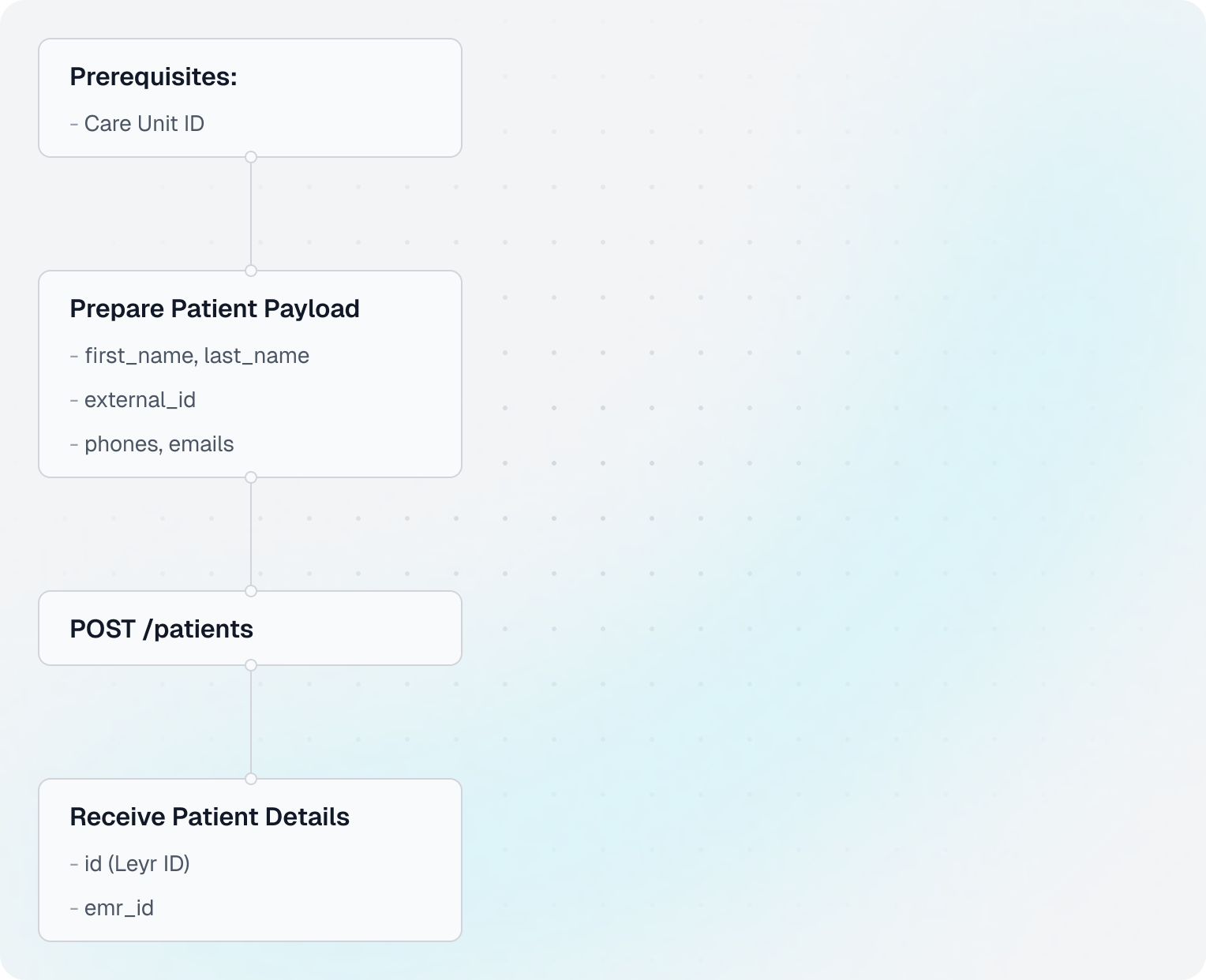
Code Example
Shared setup
import requests

CLIENT_ID = "your-client-id"
CLIENT_SECRET = "your-client-secret"
BASE_URL = "https://api.leyr.io/api"
EMR = "webdoc"

headers = {
    "x-leyr-client-id": CLIENT_ID,
    "x-leyr-client-secret": CLIENT_SECRET,
    "Content-Type": "application/json"
}

care_unit_id = "L0_1"
1. Prepare patient payload
patient_payload = {
    "first_name": "Tolvan",
    "last_name": "Tolvansson",
    "external_id": "191212121212",
    "phones": ["+46001234567"],
    "emails": ["Tolvan.Tolvansson@example.com"]
}
2. Create or upsert the patient
response = requests.post(
    f"{BASE_URL}/emrs/{EMR}/care-units/{care_unit_id}/patients",
    headers=headers,
    json=patient_payload
)

patient = response.json()
3. Read key values from the response
print("✓ Patient created or updated")
print(f"Leyr ID: {patient['id']}")
print(f"EHR ID: {patient.get('emr_id')}")
Key Insights
- Leyr applies idempotent behavior here: if the patient already exists in the EHR, create requests will return the existing patient instead of creating a duplicate.
- For patient path parameters, use supported
patient_idformats likeemr_id:*orse_personal_number:*. - Use Find or Get Patient to determine the right identifier for downstream flows.
emr_idis useful for EHR-side tracing and support.- Some EHRs allow direct national identifier lookup in path parameters, for example
se_personal_number:{value}.
Next Steps
API Reference
Building with Leyr?
Talk to our team about your use case and discover how Leyr can help.
Book a discovery call