---
title: "Psykbase"
description: "How to configure Psykbase for a Leyr integration and obtain the required credentials."
canonical_url: "https://docs.leyr.io/product/ehrs-setup/psykbase"
---
# Psykbase
> How to configure Psykbase for a Leyr integration and obtain the required credentials.
Reviewed: 23 October 2025
Psykbase is Norway's most popular Electronic Health Record (EHR) system specifically designed for psychologists and psychiatrists, currently serving over 2,000 customers across the country. The all-in-one platform combines efficient appointment management with color-coded scheduling, customizable templates, secure patient records management, and automated billing features to streamline daily workflows for mental health professionals. Built with over 30 years of experience in the field, Psykbase ensures high security and GDPR compliance while integrating with key Norwegian healthcare systems including NHN and Helfo for seamless operations.
Psykbase
## Setup Type
**Self-Service** - You can obtain the required Care Unit ID directly from your Psykbase online booking page URL following the simple steps below.
## Required Credentials
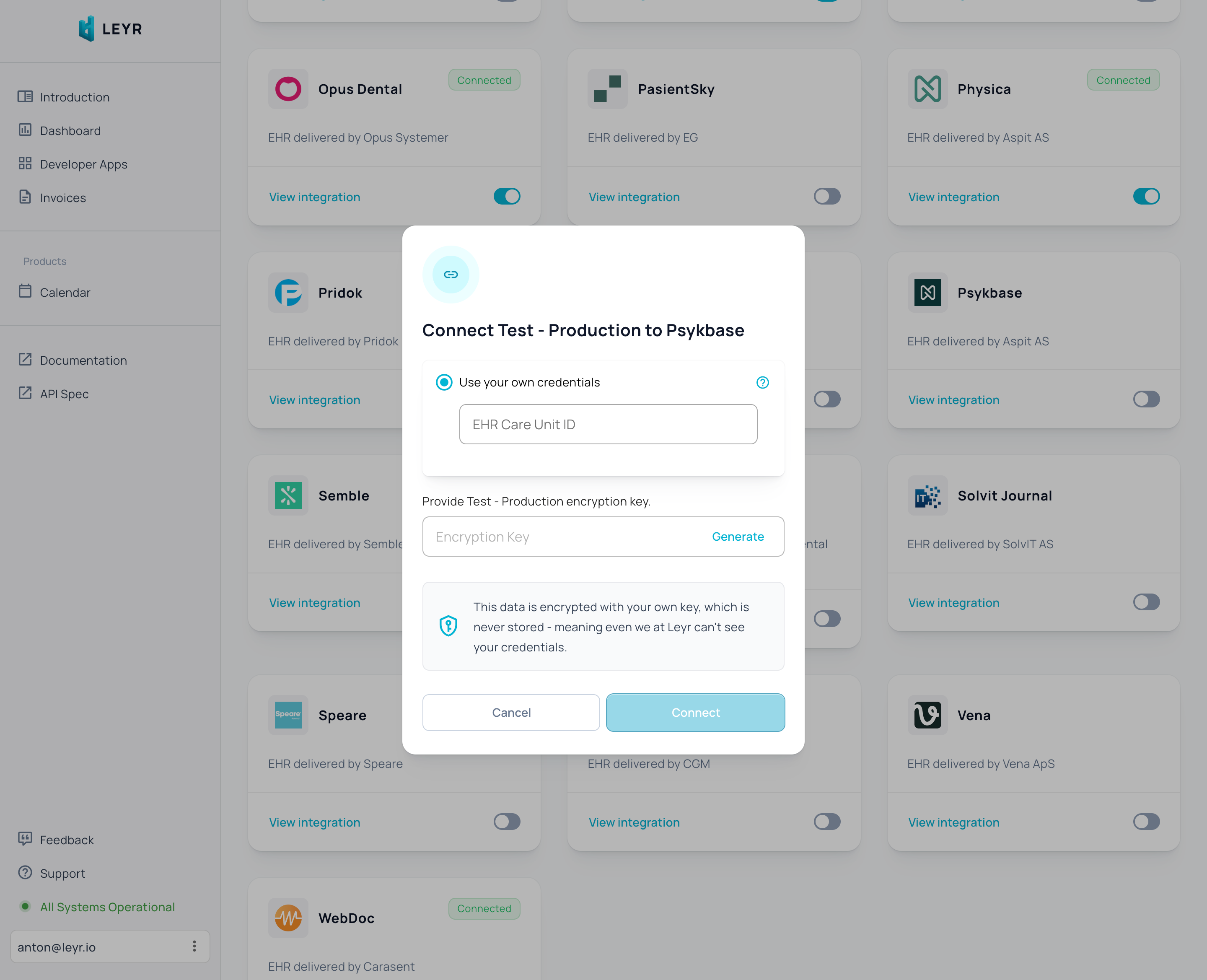
To integrate with Psykbase in production or using your own credentials in Leyr Sandbox, you'll need:
- Care Unit ID
## Setup Guide
1. Open your Psykbase online booking page (e.g., `https://system.psykbase.no/book/leyr` - your clinic will have a different URL where `leyr` is replaced with your clinic credential)
2. The part of the URL after "/book/" is your Care Unit ID. In this example, it's "leyr" - copy this value and enter it into the "Care Unit ID" field in the Leyr developer portal
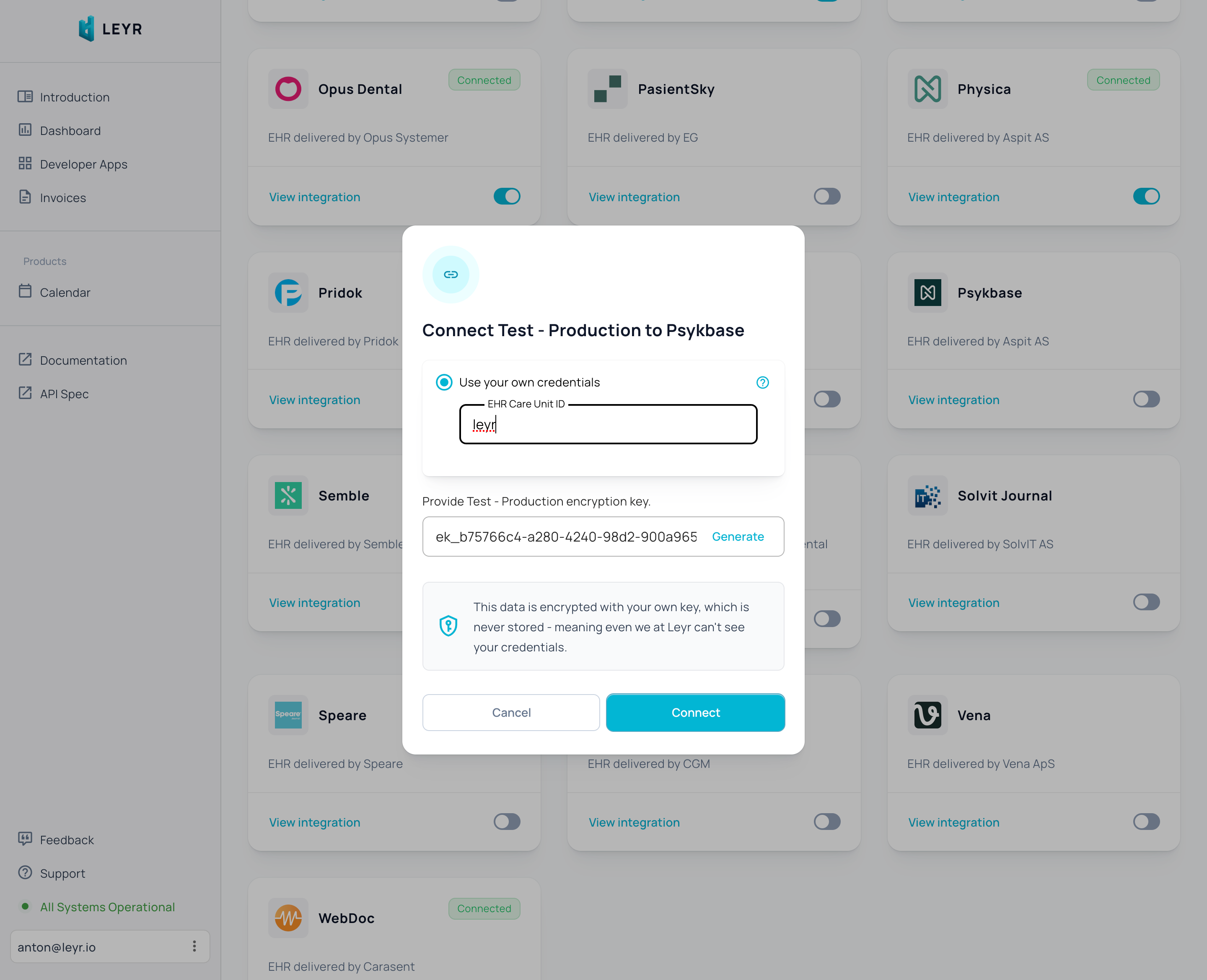
You're now ready to test and launch your integration with Psykbase via Leyr. Check our [API specification](https://api.leyr.io/docs) for implementation details.
## Sitemap
See the full [sitemap](https://docs.leyr.io/sitemap.md) for all pages.