

Book an Appointment
Book an Appointment
Learn how to create appointments for patients using available timeslots. This guide shows you how to book appointments once you've found available times.
care_unit_id and an available timeslot from Show Doctor's Availability, and a valid patient_id from Find or Get Patient or Create Patient. If the patient does not exist yet, create them first.Flow Overview
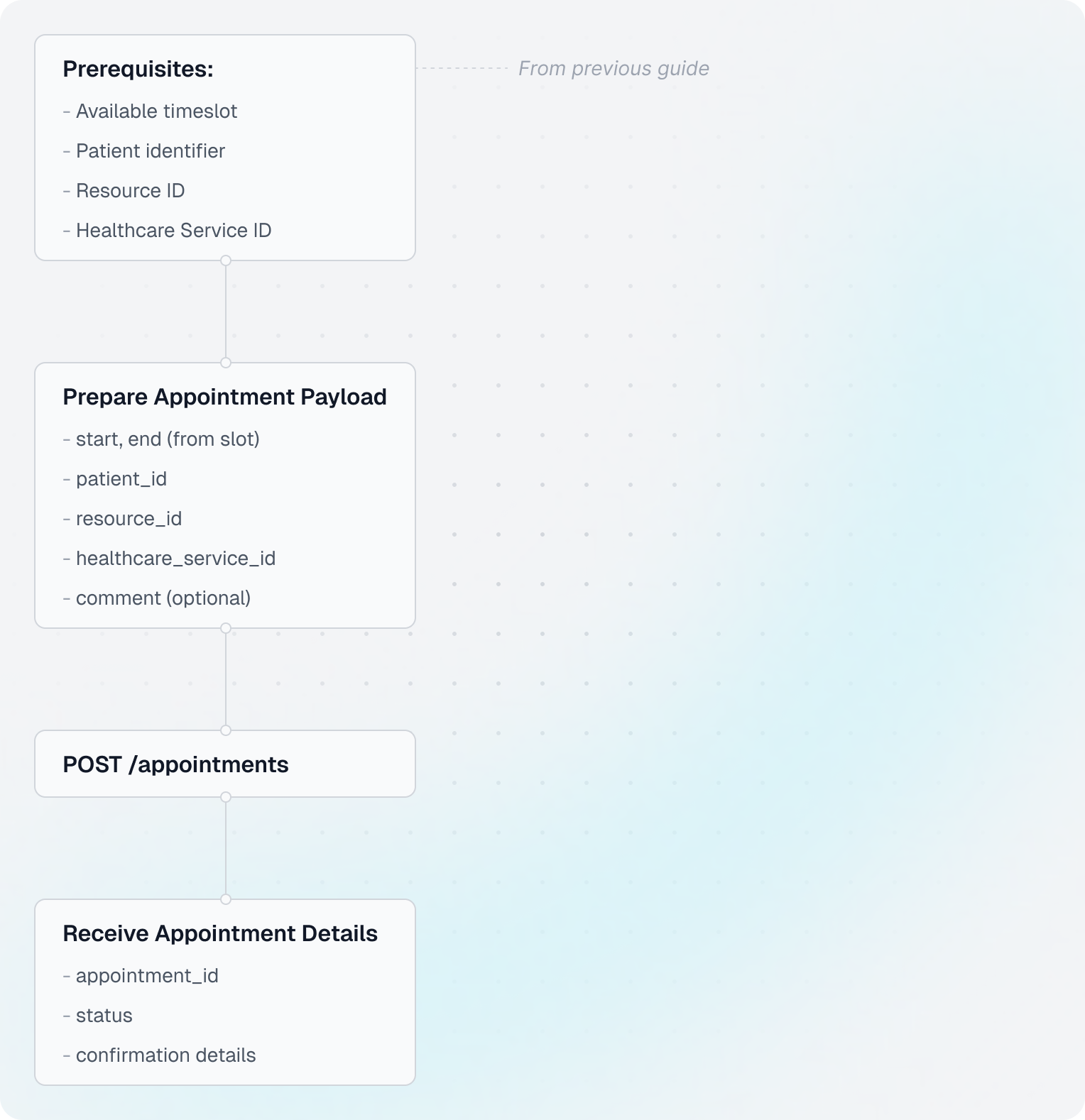
Understanding Appointments
- Appointment: A scheduled meeting between a patient and a healthcare resource
- Patient identifier (
patient_id): Can be internal EHR ID or a typed identifier likese_personal_number:*(see Patient ID guide) - Timeslot: Must be available before booking
Code Example
Shared setup
import requests
from datetime import datetime
from zoneinfo import ZoneInfo

CLIENT_ID = "your-client-id"
CLIENT_SECRET = "your-client-secret"
BASE_URL = "https://api.leyr.io/api"
EMR = "webdoc"

headers = {
    "x-leyr-client-id": CLIENT_ID,
    "x-leyr-client-secret": CLIENT_SECRET,
    "Content-Type": "application/json"
}

care_unit_id = "care-unit-123"
timeslot = {
    "start": "2024-03-25T14:00:00+01:00",
    "end": "2024-03-25T14:30:00+01:00",
    "resource_id": "doctor-789",
    "healthcare_service_id": "service-101"
}
patient_id = "se_personal_number:191212121212"
1. Prepare the appointment payload
appointment_data = {
    "start": timeslot["start"],
    "end": timeslot["end"],
    "patient_id": patient_id,
    "resource_id": timeslot["resource_id"],
    "healthcare_service_id": timeslot["healthcare_service_id"],
    "comment": "First consultation"
}
2. Create the appointment
response = requests.post(
    f"{BASE_URL}/emrs/{EMR}/care-units/{care_unit_id}/appointments",
    headers=headers,
    json=appointment_data
)

appointments = response.json()
appointment = appointments[0]
3. Read key values from the response
print("✓ Appointment booked successfully!")
print(f"  Appointment ID: {appointment['id']}")
print(f"  Status: {appointment['status']}")
print(f"  Care Unit ID: {appointment['care_unit_id']}")

start_time = datetime.fromisoformat(appointment["start"])
print(f"  Time (Europe/Stockholm): {start_time.astimezone(ZoneInfo('Europe/Stockholm')).strftime('%Y-%m-%d %H:%M')}")
Key Insights
Appointment Status
Appointments can have different statuses:
booked- Successfully scheduled (most common)awaiting_confirmation- Requires additional confirmation (some EHRs)completed- Appointment has occurredcancelled- Appointment was cancelled
If you receive awaiting_confirmation, you may need to provide additional confirmation data. See the Appointment Confirmation guide for details.
Using patient_id formats
patient_id can be provided in multiple formats:
patient_id = "abc_12345"
patient_id = "emr_id:abc_12345"
patient_id = "se_personal_number:191212121212"
For more details on patient ID formats, see the Patient ID Guide.
Next Steps
Learn how to manage appointments:
- Update Appointments - Reschedule or modify appointments
- Cancel Appointments - Cancel booked appointments
- Write Medical Note - Document the consultation
API Reference
For detailed API documentation, see:
Building with Leyr?
Show Doctor's Availability
Learn how to discover available timeslots for booking appointments. This guide walks through the complete flow from finding care units to checking doctor availability.
Write a Medical Note
Learn how to create medical notes for patient records. Medical notes are clinical documentation written by healthcare providers during or after consultations.