

Write a Medical Note
Write a Medical Note
Learn how to create medical notes for patient records. Medical notes are clinical documentation written by healthcare providers during or after consultations.
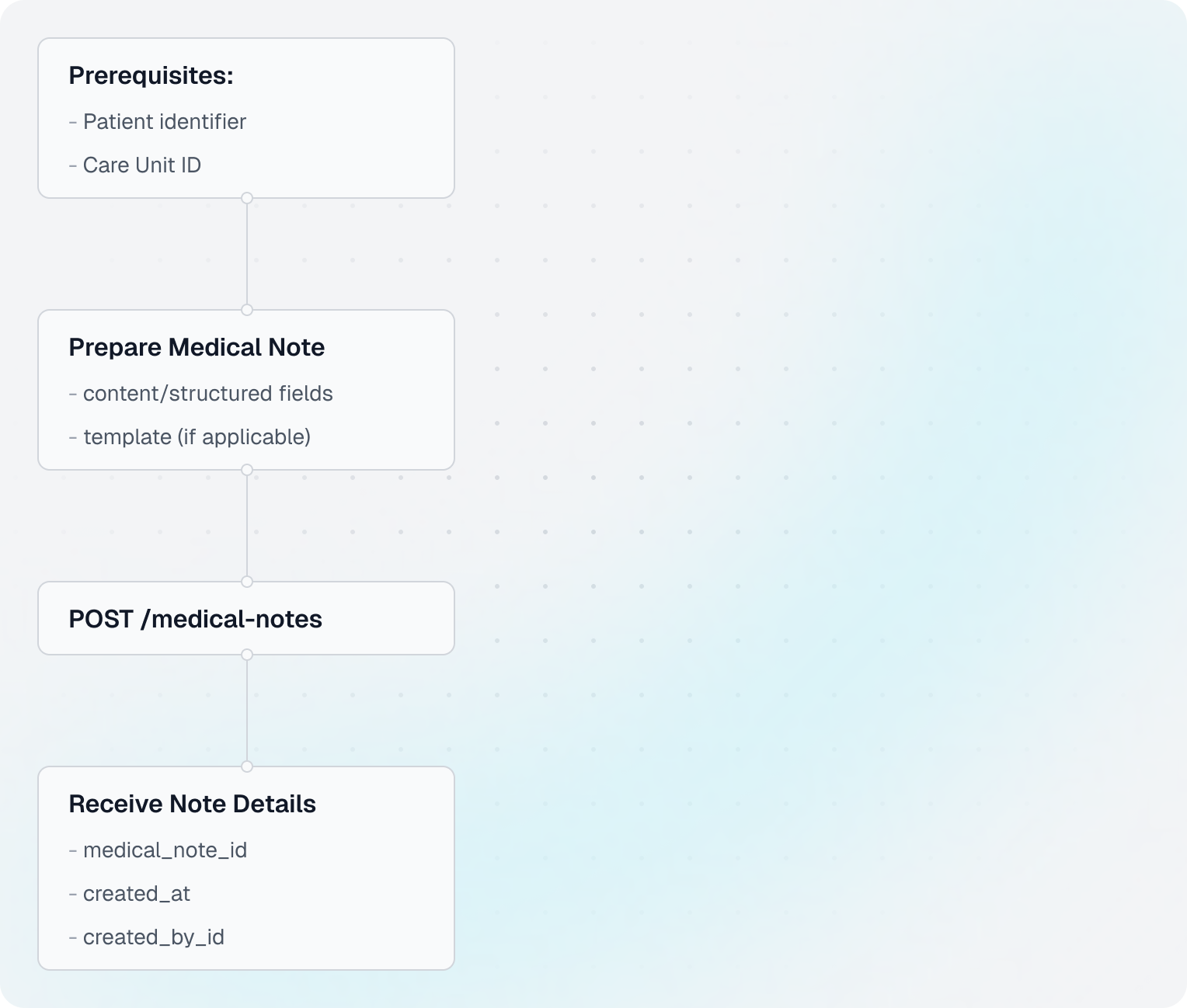
care_unit_id and resource_id from Show Doctor's Availability, and a valid patient_id from Find or Get Patient or Create Patient. If the patient does not exist yet, create them first.Flow Overview
Understanding Medical Notes
- Medical Notes: Clinical documentation written by healthcare providers (e.g., doctor's notes, consultation summaries)
- vs Documents: Medical notes are text-based clinical records; documents are files (PDFs, images)
- Unsigned Status: Notes are created unsigned and must be signed by a doctor later in the EHR
Structured vs Unstructured Notes
Different EHR systems handle medical notes differently:
- Structured Notes: Some EHRs use templates with specific fields (e.g., Chief Complaint, History, Assessment, Plan)
- Unstructured Notes: Others only support a single free-text field
Good news: You don't need to worry about these differences. Send your note content to Leyr in a consistent format, and we'll automatically convert it to match each EHR's requirements. Whether the target EHR uses structured templates or a single text field, your integration code stays the same.
This example uses the simplest template, LeyrUnstructured (leyr_unstructured), with one free-text unstructured content field.
Code Example
Shared setup
import requests

CLIENT_ID = "your-client-id"
CLIENT_SECRET = "your-client-secret"
BASE_URL = "https://api.leyr.io/api"
EMR = "webdoc"

headers = {
    "x-leyr-client-id": CLIENT_ID,
    "x-leyr-client-secret": CLIENT_SECRET,
    "Content-Type": "application/json"
}

care_unit_id = "care-unit-123"
patient_id = "se_personal_number:191212121212"
resource_id = "resource-123"
1. Prepare the medical note payload
note_data = {
    "template_id": "leyr_unstructured",
    "title": "Consultation Summary",
    "created_by_id": resource_id,
    "content": {
        "unstructured": """Patient presents with mild headache and fatigue.

Symptoms:
- Headache (mild, frontal region)
- Fatigue for 2 days
- No fever

Assessment:
Likely tension headache, possibly related to stress and lack of sleep.

Plan:
- Recommend adequate rest and hydration
- Over-the-counter pain relief as needed
- Follow-up if symptoms persist beyond 1 week
"""
    }
}
2. Create the medical note
response = requests.post(
    f"{BASE_URL}/emrs/{EMR}/care-units/{care_unit_id}/patients/{patient_id}/medical-notes",
    headers=headers,
    json=note_data
)

note = response.json()
3. Read key values from the response
print("✓ Medical note created successfully!")
print(f"  Note ID: {note['id']}")
print(f"  Created: {note['created_at']}")
print(f"  Created by: {note['created_by_id']}")
patient_id usage
Use patient_id in path parameters with one of these formats:
abc_12345(treated asemr_id)emr_id:abc_12345se_personal_number:191212121212(when supported by the EHR)
Use Find or Get Patient to discover identifiers and Patient IDs for full format support.
Retrieving Medical Notes
1. Get all medical notes for a patient
response = requests.get(
    f"{BASE_URL}/emrs/{EMR}/care-units/{care_unit_id}/patients/{patient_id}/medical-notes",
    headers=headers
)

notes_response = response.json()
notes = notes_response["items"]

print(f"Found {len(notes)} medical notes")
for note in notes:
    print(f"  - {note['id']}: {note['created_at']}")
2. Get one medical note
note_id = notes[0]["id"]
response = requests.get(
    f"{BASE_URL}/emrs/{EMR}/care-units/{care_unit_id}/patients/{patient_id}/medical-notes/{note_id}",
    headers=headers
)

note = response.json()
print(f"\nNote content:\n{note['content']['unstructured']}")
Best Practices
- Be Specific: Include relevant clinical details
- Structure Content: Use clear sections (Symptoms, Assessment, Plan)
- Sign Notes: Remember that notes are created unsigned and must be signed in the EHR
Next Steps
Learn about other patient record operations:
- Attach a Document - Upload files to patient records
- Patient ID Guide - Understanding patient identifiers
API Reference
For detailed API documentation, see:
Building with Leyr?
Book an Appointment
Learn how to create appointments for patients using available timeslots. This guide shows you how to book appointments once you've found available times.
Attach a Document
Learn how to upload files to patient records. Documents are files like lab results, imaging reports, consent forms, or any other files that need to be attached to a patient's medical record.