---
title: "Athena One"
canonical_url: "https://docs.leyr.io/product/ehrs-setup/athenaone"
---
# Athena One
Reviewed: 21 January 2026
AthenaHealth is one of the largest healthcare technology companies, serving over 150,000 healthcare providers and managing data for more than 72 million patients across their connected network. Their EHR system features intuitive workflows with AI-powered capabilities like automatic clinical documentation through Ambient Notes, real-time patient data integration from across their vast network, and specialty-specific configurations for areas like women's health, pediatrics, and behavioral health. The platform combines electronic health records with practice management and patient engagement tools, allowing providers to access comprehensive patient charts that automatically pull in records, lab results, and care history from anywhere patients receive treatment within their extensive provider network.
Athena One
## Setup Type
**Self-Service with Support** - You can generate credentials yourself through athenahealth's developer portal, but you will need to complete a Technical Request Form (unless you are only using Certified APIs). Leyr will assist you with filling out this form.
## Required Credentials
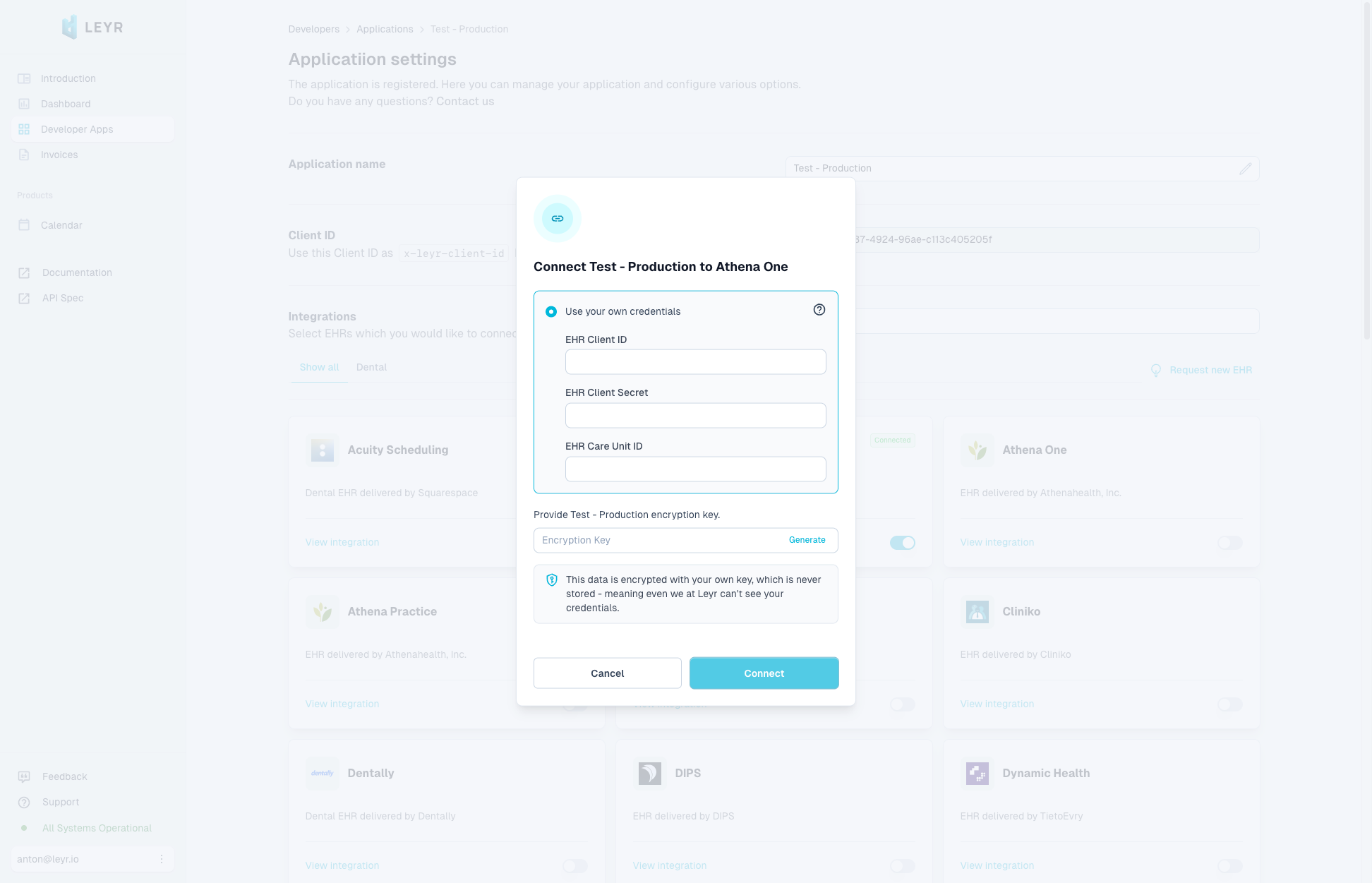
To integrate with AthenaOne in production or using your own credentials in Leyr Sandbox, you'll need:
- Client ID
- Client Secret
- Care Unit ID
## Setup Guide
### Step 1: Register as a Developer
1. Go to athenahealth's developer portal at [https://developer.api.athena.io/ams-portal/](https://developer.api.athena.io/ams-portal/)
2. Create a developer account or log in with your existing athenahealth credentials
### Step 2: Create Your Application
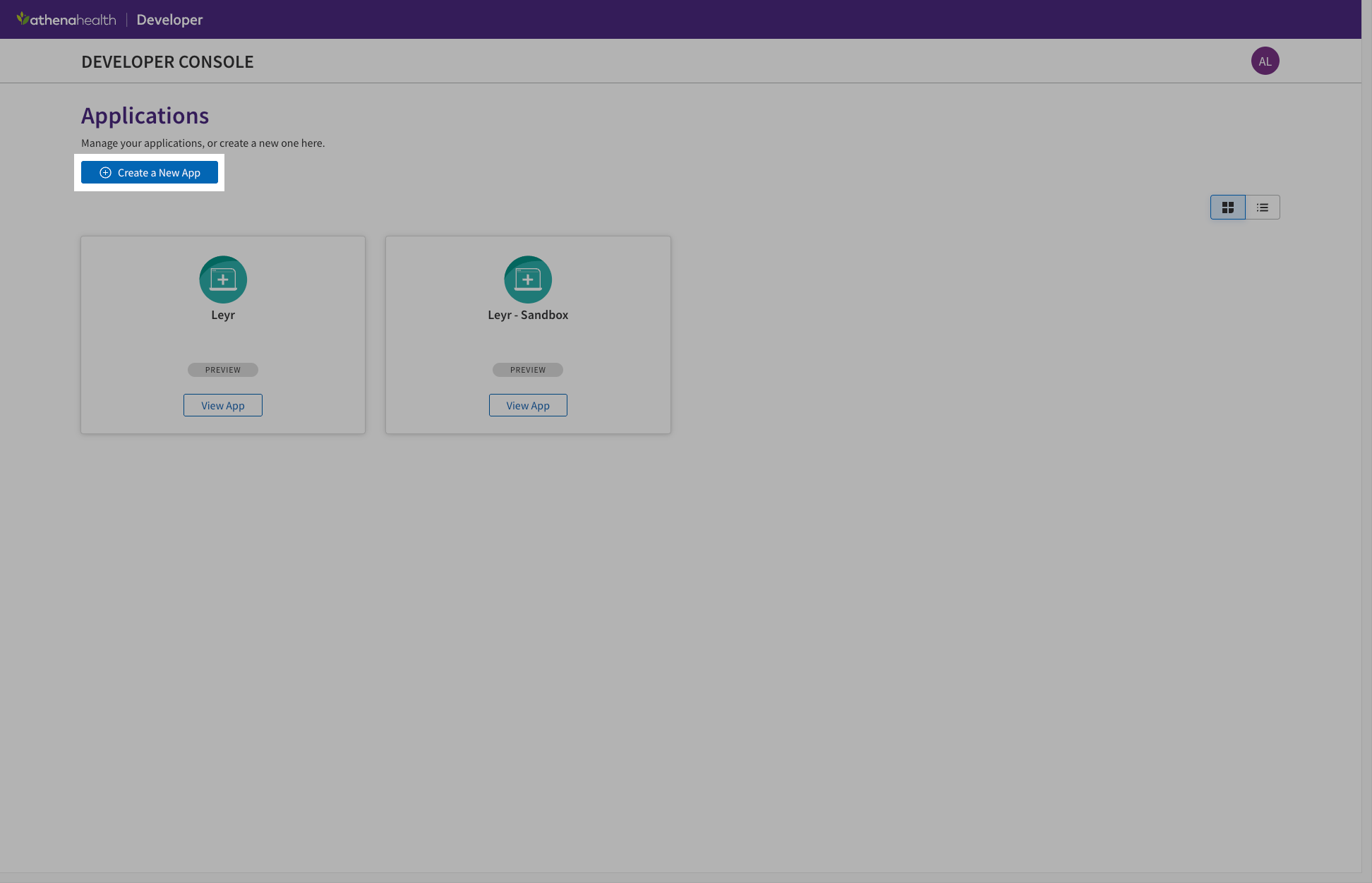
1. Click "Create a new app"
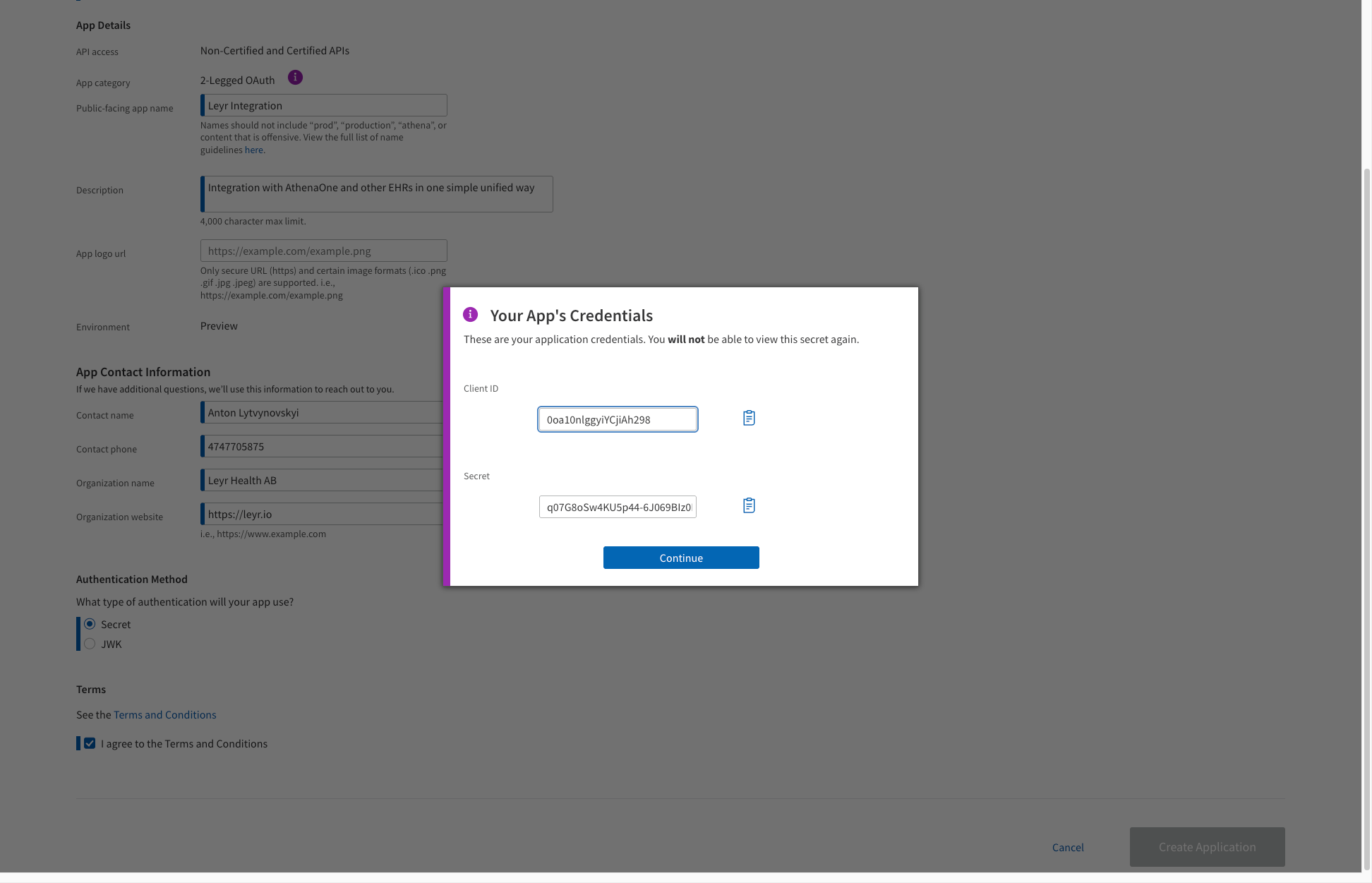
2. Fill in your application details:
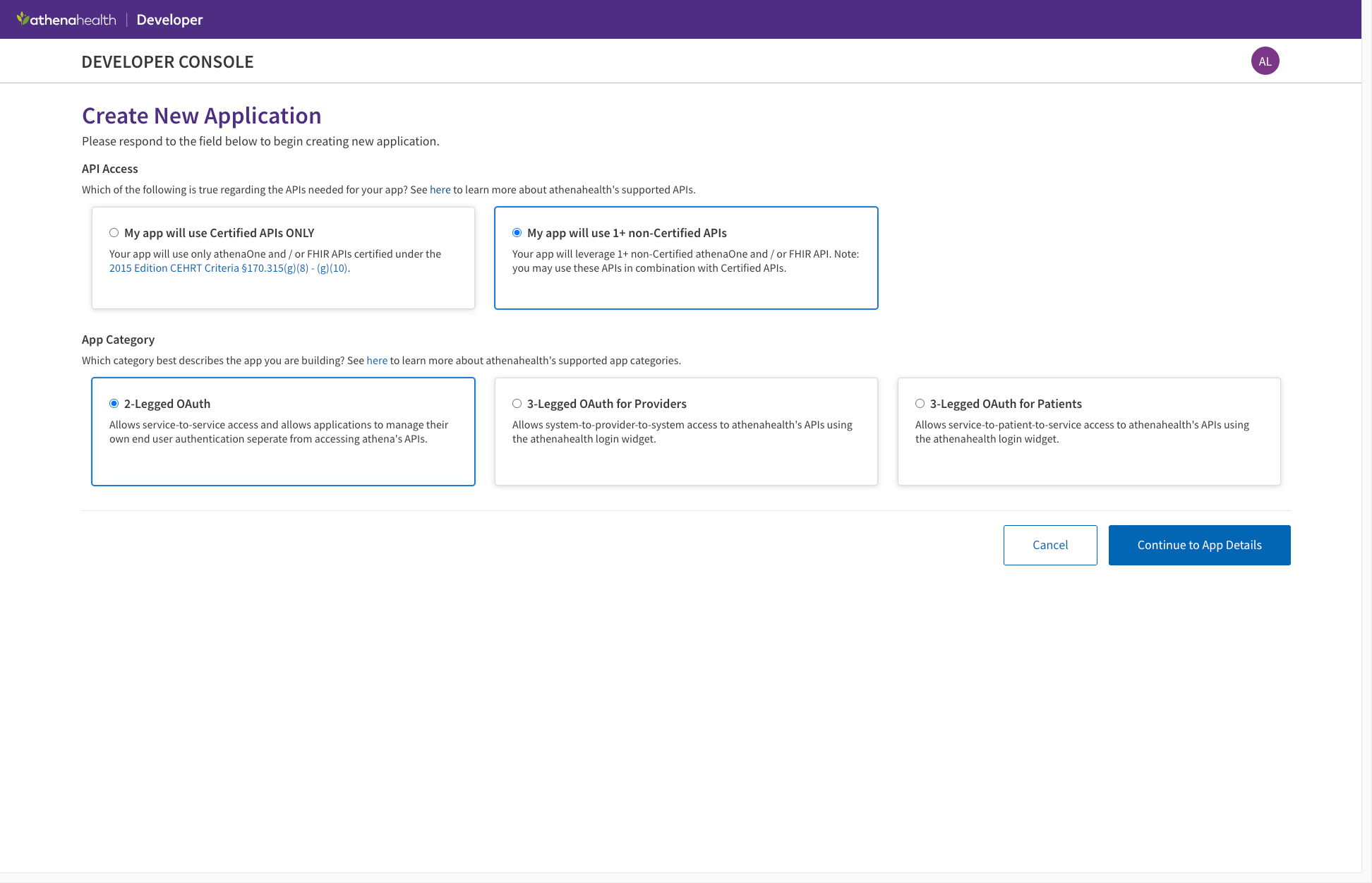
- Select "My app will use 1+ non-Certified APIs", unless you are going to use only Certified APIs under [List of Certified APIs](https://docs.athenahealth.com/api/resources/complete_list_athena_apis#List_of_Certified_APIs_(in_adherence_to_2015_Edition/Cures_Update_CEHRT_Criteria)_3)
- Select "2-Legged OAuth" for system-to-system authentication
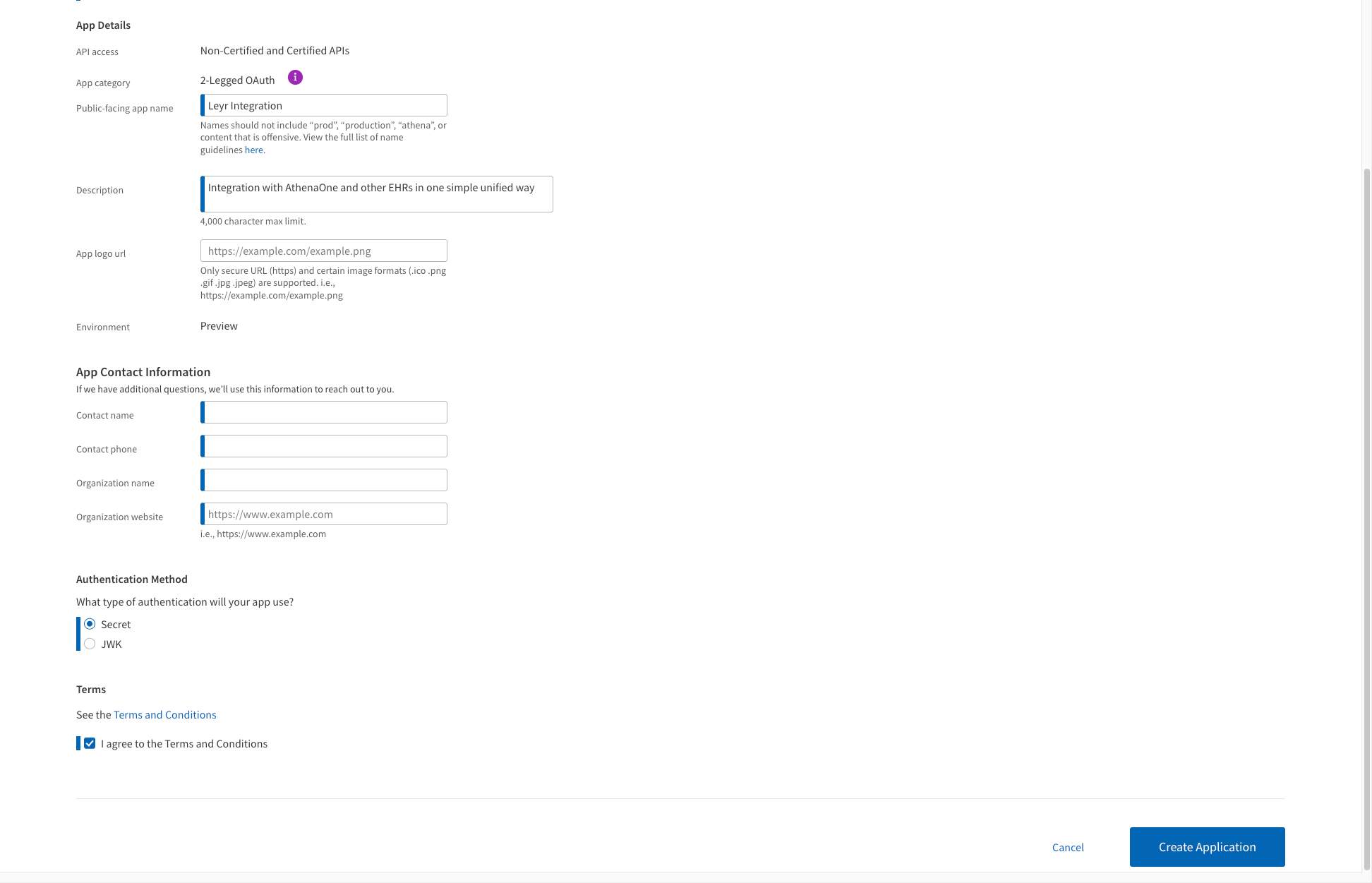
- Proceed with configuration and provide application name, description and contact information as requested
- Select "Secret" as the authentication method
3. After creating the application, you'll receive your **Client ID** and **Client Secret** in the next window- save these securely!
Those are your credentials for the Leyr configuration.
### Step 3: Complete Technical Request Form (If Required)
**Important:** If you plan to use APIs beyond the Certified APIs, you must submit a Technical Request Form to athenahealth. This is required for expanded API access.
1. Tech Spec form and Technical Request form are available under your application - "Use Cases" tab
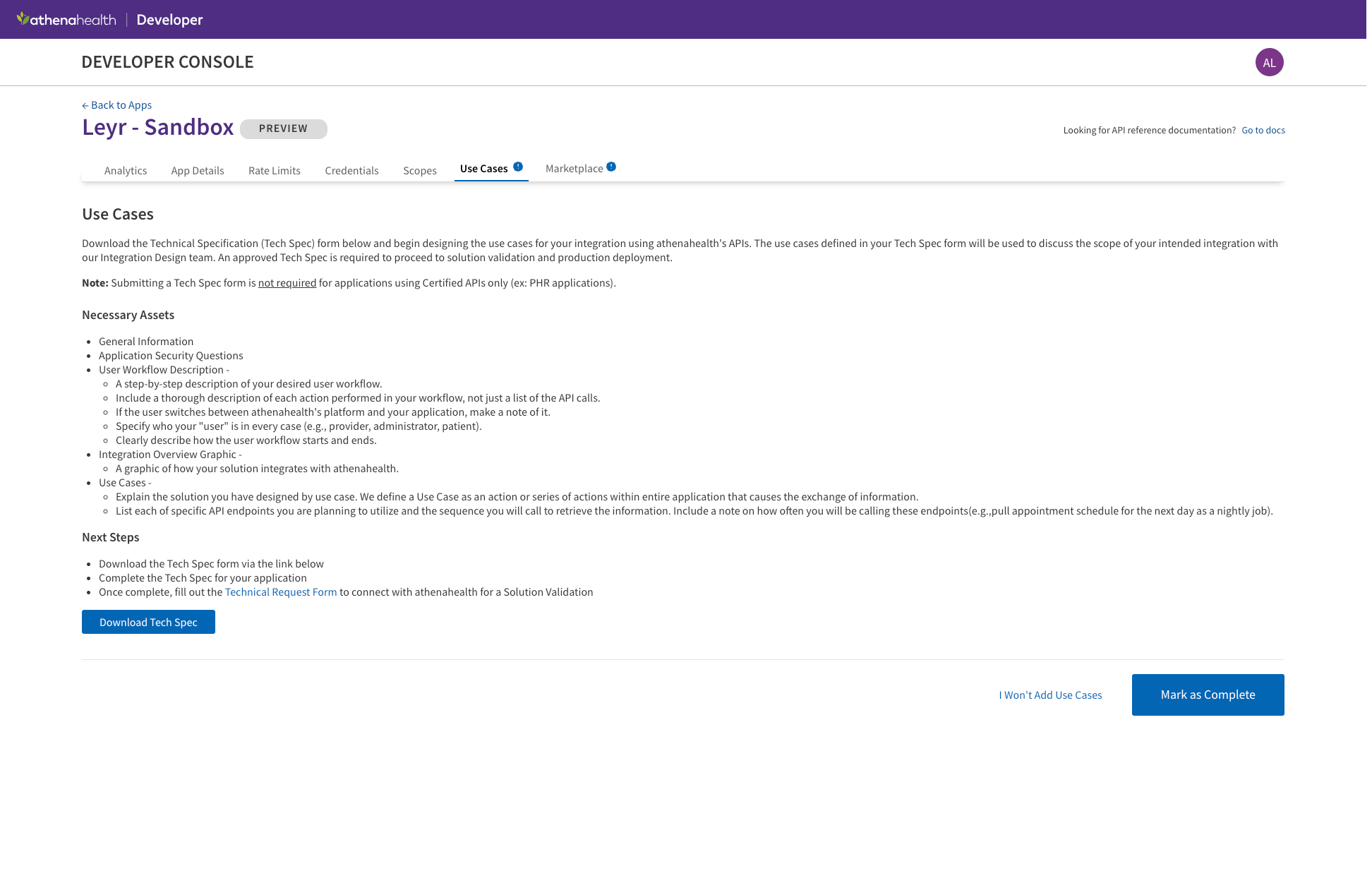
2. The forms include technical details about your integration and intended API usage
3. **Leyr will help you fill out these forms** - reach out to us at [contact@leyr.io](mailto:contact@leyr.io) or via dedicated Slack channel and we'll guide you through the process
4. Once approved, you'll receive confirmation and your API access will be expanded
### Step 4: Obtain Your Care Unit ID
You Care Unit ID should be provided to you by your healthcare provider.
---
With client ID, client secret and care unit ID, you're now ready to test and launch your integration with AthenaOne via Leyr. Check our [API specification](https://api.leyr.io/docs) for implementation details.
## Sitemap
See the full [sitemap](https://docs.leyr.io/sitemap.md) for all pages.